Best Study Quiz Maker Tools for Students


Turn a course PDF or lecture video into questions you can practice with, instead of writing every quiz by hand. A study quiz maker can also help you spot which topics need another look. Here are five tools, starting with Quizessa, for students who want practice based on their own course material.
An analysis of 62 comments and questions from Reddit, YouTube and Quora about study quiz makers found that 26% mentioned accurate PDF to quiz conversion.
1. Quizessa
Quizessa is a web and iPhone study app that turns your own course material into multiple-choice questions, flashcards, and answer explanations. It suits students who want to study from lecture slides, PDFs, notes, photos, or YouTube videos, rather than begin with a blank quiz.
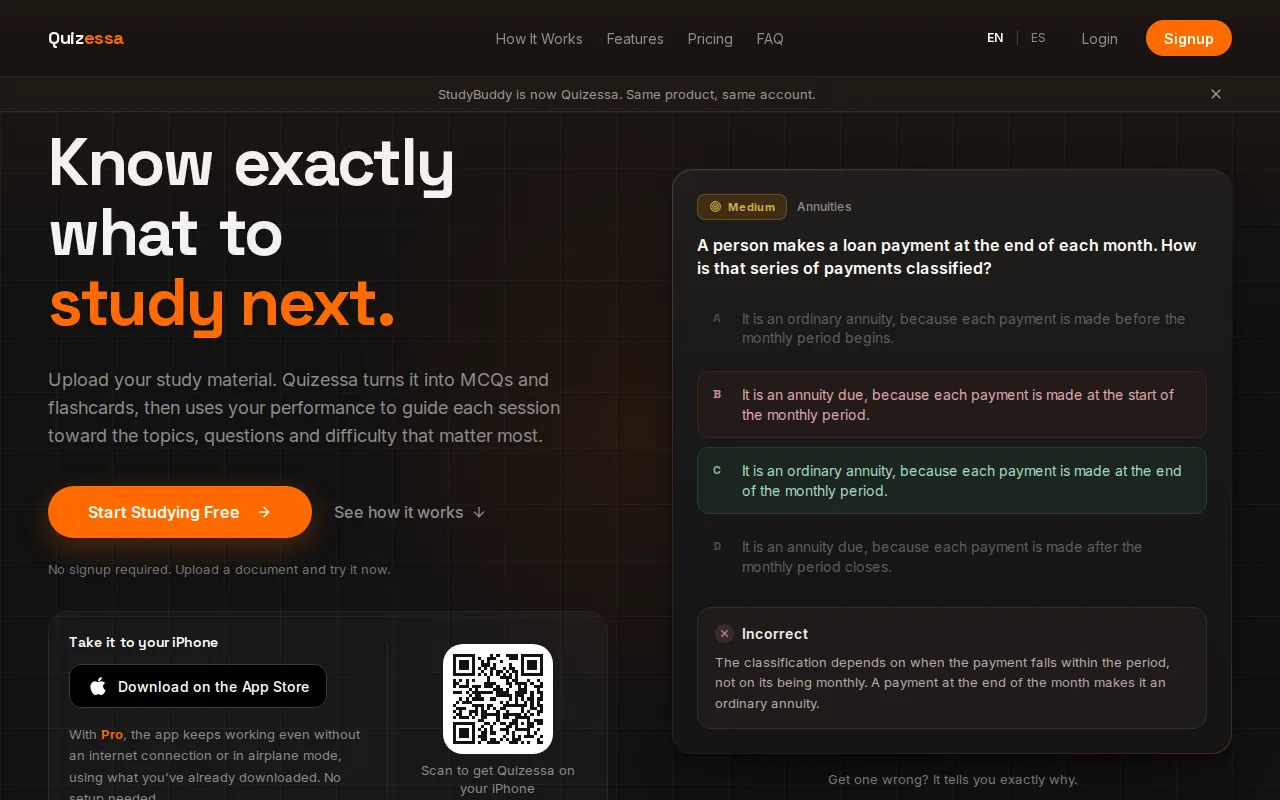
Upload material, then practice from questions based on that source. Get an answer wrong? Quizessa explains the answer and adapts later practice to your performance. Topic mastery and Readiness Score help you decide what to review next. They’re study signals, not a promise of an exam result or error-free explanations.
The same upload can support different kinds of study. Use MCQs to test recall, then switch to flashcards for terms or short facts. If you want to see how document-based quiz practice works, the AI quiz generator for notes and PDFs explains the workflow.
Quizessa works in English and Spanish, and it’s free to try. Browser guest sessions let you try the workflow without signing up. Pro costs $8.99 per month or $89.90 per year. If you study accounting, you might use a lecture PDF to practice formulas, then review the topics that need more work.
2. StudyFetch: Study support for slides, PDFs, and videos
StudyFetch turns course materials into study aids such as notes, flashcards, quizzes, and tests. It suits students who want several kinds of review from the same lecture file, including students working from PDFs, PowerPoint files, videos, or slides.
One useful part of its setup is that you can keep related study aids tied to the same source. A lecture PDF can become structured notes, then cards and a quiz. StudyFetch also supports a personalized study schedule, which can help you break a course workload into planned sessions.
Its study tools go beyond question practice. StudyFetch includes an AI tutor that can answer questions about your material. It also has game-style challenges based on course materials. That may suit you if you want a change of pace after reviewing notes, though a game activity isn’t the same as checking whether you can explain a concept in your own words.
For example, a student with a slide deck on cellular respiration can use the source for notes and quiz practice, then return to the same material while reviewing. Before relying on generated questions, check them against the lecture. That matters most for precise terms, formulas, and ideas your instructor defines in a specific way.
StudyFetch is a fit if you want a wider set of study aids around course files. If your main need is adaptive practice and topic tracking, compare those specific features with Quizessa before you choose.
3. Studley AI: Quizzes from documents, recordings, and YouTube
Studley AI turns many source types into study material, including PDFs, slides, audio, photos, articles, text, lecture recordings, and YouTube videos. It suits students whose course content comes in mixed formats, such as a lecture recording alongside a slide deck and assigned reading.
That range can cut down on manual copying. Instead of selecting text from a reading and building questions from scratch, you can start with supported material. For a video lesson, that can mean using the lecture itself as the starting point for practice.
Studley AI includes AI explanations for incorrect answers and personalization. The explanation can help you see why an answer missed the mark, while personalization can shape study around your activity. When you review a wrong answer, compare the explanation with the source material so you know it matches the way your class presents the topic.
Check its pricing page for the current free allowance. That gives you a way to test whether its input formats fit your study habits before deciding how often you’d use it. Consider trying one course unit first.
Choose Studley AI when you need to work with varied content, especially recordings or video. If your notes are already organized into PDFs or slides, compare its explanation and follow-up practice with the tools built around those formats.
4. QuestionWell: Multiple-choice questions with classroom exports
QuestionWell creates multiple-choice questions from a topic, pasted reading, a website link, or a YouTube video. It’s especially suited to teachers who need to shape questions for a class and then send them to classroom or learning platforms.
You can add learning outcomes or standards to guide the questions, and set a reading level. QuestionWell can also identify vocabulary from the source. The teacher can review and select questions, edit the wording, and change an answer before using the set.
Turn your notes into a practice exam
Upload a document and Quizessa builds questions, flashcards and explanations in minutes.
Try it freeQuestionWell’s free plan includes unlimited multiple-choice generation, with five exports each month, five imports, two classes, and three months of storage. Its starting price is $70 billed annually.
Exports and integrations include options such as Google Forms, Canvas, Moodle, and Microsoft Forms. That can help a teacher move a question set into a class workflow. Students can also answer selected questions using a generated code. For a solo learner who mainly wants personal, adaptive practice, classroom exports may matter less than feedback and topic tracking.
5. Questgen: Question formats tied to Bloom’s taxonomy
Questgen generates quizzes from sources such as PDFs, URLs, videos, and images. It suits students or educators who want to choose a question format or target a certain level of thinking, rather than generate only basic recall questions.
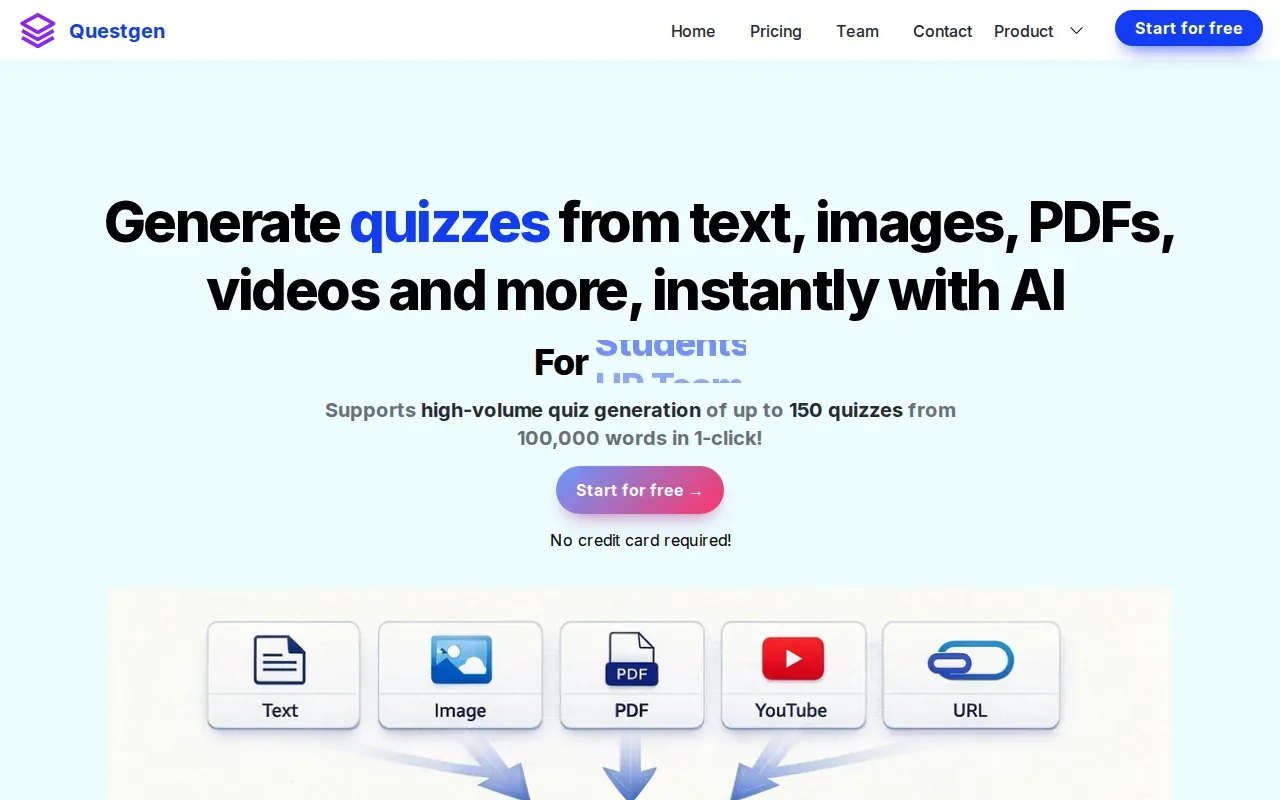
Its question types include multiple choice, true or false, fill-in-the-blank, matching, short answer, and higher-order questions. You can also use Bloom’s taxonomy to focus a quiz on a level such as applying or analyzing, or include all six levels. That’s useful when you want to test more than definitions, for example by asking how a statistics method applies to a problem.
Questgen supports quiz editing before export. Export formats include PDF, CSV, QTI, Moodle XML, and text formats such as AIKEN and Respondus. These options can help if you’re preparing materials for a course platform or need a file that fits an existing assessment workflow.
Students can use its study mode to practice from generated quizzes. For automatically evaluated formats such as multiple choice and true or false, Questgen provides a score at the end. Check the source material and answer key before treating a generated set as final exam prep.
Pick Questgen when question format, taxonomy level, or export type is a key part of your task. If you mainly want a personal study routine that adapts to your performance, compare the follow-up practice each tool gives you.
Study Quiz Maker Comparison: Materials, Practice Formats, and Best Fits
The right tool depends on what you’re starting with and what you want to do after a quiz. A student reviewing their own class material may care most about answer explanations and what to study next. A teacher may care more about editing questions or exporting a set to a class platform.
| Tool | Useful starting materials | Practice or follow-up | Best fit |
|---|---|---|---|
| Quizessa | PDFs, slides, notes, photos, YouTube videos | MCQs, flashcards, answer explanations, adaptive practice, topic mastery, Readiness Score | Students who want personal practice from their own course materials |
| StudyFetch | PDFs, PowerPoints, videos, slides, notes | Notes, flashcards, quizzes, tests, study schedule, AI tutor, game-style challenges | Students who want several study aids from course files |
| Studley AI | Documents, slides, recordings, videos, photos, articles, text | Personalization and explanations for incorrect answers | Students with mixed file types or lecture recordings |
| QuestionWell | Topic, pasted reading, website link, YouTube video | Multiple-choice questions, editing, classroom exports | Teachers preparing question sets for class use |
| Questgen | PDF, URL, video, image, text | Several question types, study mode, scoring, file exports | Users who need specific question formats or export types |
For a closer look at the student side of multiple-choice practice, see these multiple-choice test maker tools for students. The useful question is whether the tool helps you act on a missed answer, not only whether it can produce questions quickly.
Free access also varies by tool. Quizessa is free to try, and QuestionWell's free plan puts limits on imports and exports while allowing unlimited multiple-choice generation. Questgen offers 20 free runs. You can start with a StudyFetch account, and its paid plans provide more generations and support longer files.
Before you use any generated quiz for a graded assessment, consider whether you need formal grading, reporting, or anti-cheating controls. These are different needs from self-study. Check that the tool’s current plan and settings fit your use case rather than assuming a study quiz app is built for high-stakes testing.
FAQs About Study Quiz Makers
Can I make a quiz from a PDF?
Yes, several tools in this list can generate questions from a PDF. Quizessa turns uploaded course material into MCQs, flashcards, and answer explanations, then adapts later practice to your performance. StudyFetch also works with PDFs, while Questgen accepts PDFs as a quiz source. Review the generated questions against your course file before using them to study.
Which tool is best for studying from lecture slides?
Quizessa is a strong fit if you want MCQs and flashcards from lecture slides, plus explanations and practice that responds to your answers. StudyFetch also makes several study aids from slides. Think about how you’ll use the questions after they’re generated. If topic mastery and deciding what to review next matter, compare those features directly.
Can these tools make flashcards as well as quizzes?
Yes. Quizessa and StudyFetch both turn course materials into flashcards as well as quiz practice. Their broader workflows differ, so consider what you need after reviewing a card. Quizessa adapts practice to performance and tracks topic mastery. StudyFetch groups several study aids around the same source material.
Are study quiz makers free?
Some have free access, but the limits vary. Quizessa is free to try, and QuestionWell offers unlimited multiple-choice generation on its free plan with caps on imports and exports. Questgen offers 20 free runs. Check each plan before relying on it for regular study.
Conclusion
If you want to turn your own course files into MCQs, flashcards, and explanations, start with Quizessa. Try one lecture PDF or slide deck, then use your answers to decide what to review next. Check each tool's current free access before settling into a study routine.
Turn your notes into a practice exam
Upload a document and Quizessa builds questions, flashcards and explanations in minutes.
Try it freeRelated articles
-
Best AI Test Maker Tools for Students
An AI test maker can turn course material into questions, but the tools differ in what you can upload and how you review. Here are six options for students, starting with Quizessa, plus what each one...
-
Best Websites for Studying: 6 Student Picks
Too many PDFs and lecture slides, not enough time to turn them into practice? The best websites for studying can help you get from course material to questions you can answer. Here are six picks...
-
Best Chemistry Flashcards for 5 Core Topics
Chemistry gets easier to test when each card asks you to explain a pattern, not just name a term. These chemistry flashcards cover five core topics, with examples for school courses, college classes...