Best AI Tools for Students: 5 Picks


Too many slides, not enough time to make your own practice questions? The best AI tools for students turn course material into study practice, but each handles a different workflow. Here are five picks for studying from your own notes, files, or lecture recordings.
An analysis of 62 comments and questions from Reddit, YouTube and Quora about AI tools for students found that 16% mentioned free AI tools for student use.
1. Quizessa
Quizessa is a web and iPhone study app that turns your own course material into multiple-choice questions (MCQs), flashcards, and answer explanations. Upload a PDF, slides, notes, a photo, or a YouTube video, then practice on the material you need to know.
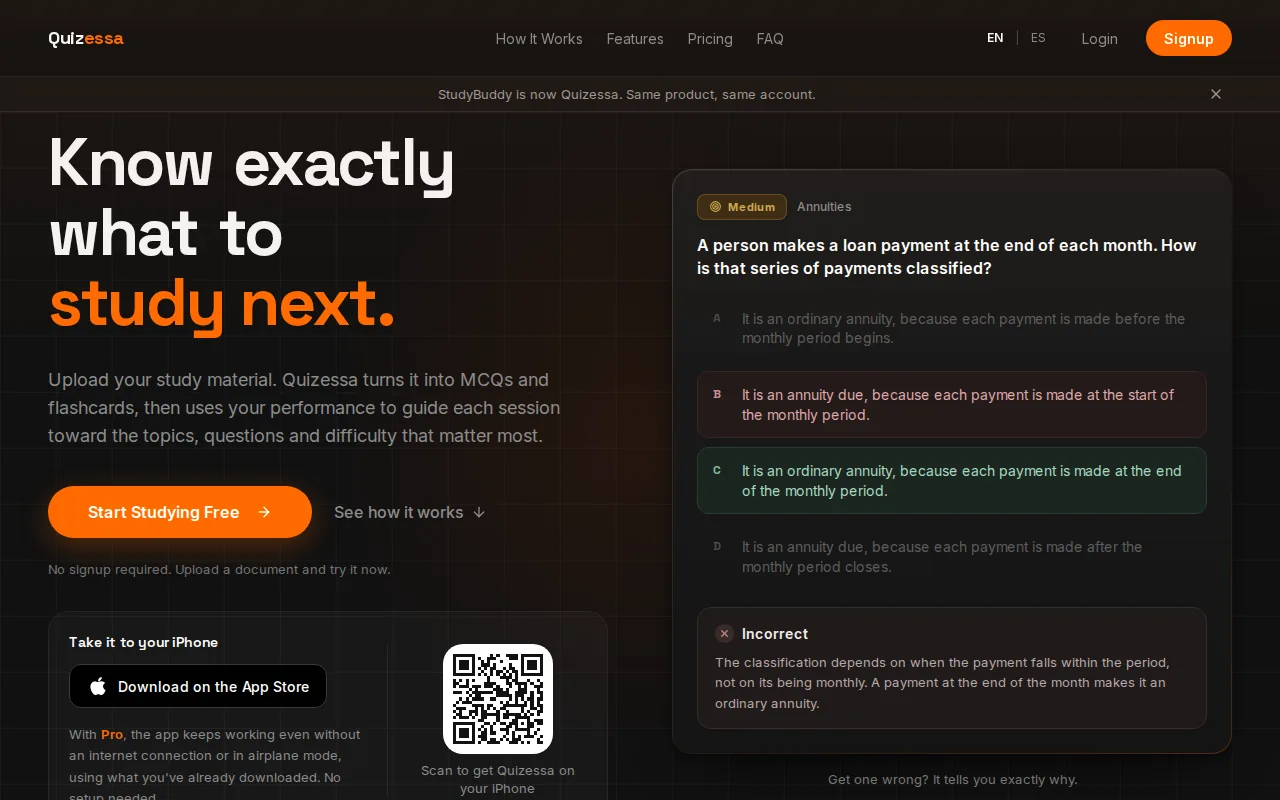
After you answer, Quizessa adapts later practice to your performance. Topic mastery and the Readiness Score help you see what to review next. They’re study signals, not a promise about your exam result or a guarantee that every generated explanation is error-free.
Say you’re studying contract law. Upload the course slides, answer a question about an element of a claim, then check the explanation if you missed it. The app can bring your practice back to your performance, rather than leaving you to guess which topic needs another look.
Quizessa is free to try in a browser guest session with no signup. Pro costs $8.99 per month or $89.90 per year. Pro includes 50 monthly credits, 30 active documents, image analysis, and unlimited use of Sabi, the AI tutor. Monthly credits cover new material processing; existing documents remain available to study.
If you’re deciding between a quiz, a test, or a broader study workflow, the AI test maker options for students page compares tools by the kind of practice they create. Start with one class file and see whether the questions match what your course expects.
2. Knowt: free study practice with lecture-based AI tools
Knowt is a study app with AI tools for class materials and lecture recordings. Its AI can create study guides and quizzes, and it can summarize lecture recordings. That makes it a fit if you want to turn a recorded class into material you can review later.
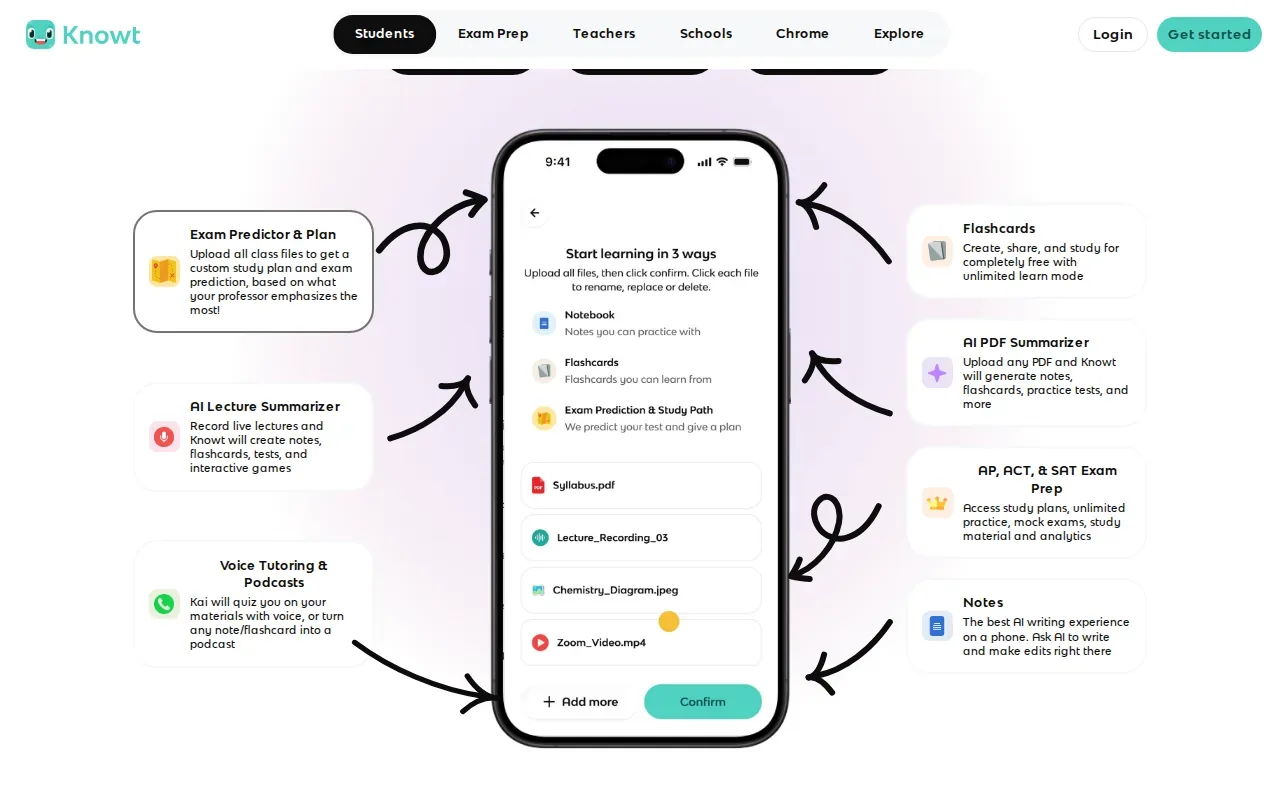
Knowt’s Learn mode is free and unlimited. It can also import Quizlet sets, which may help if you already have sets you want to use. The free part is Learn mode, not every AI feature or type of use.
One useful routine is to listen to a lecture recording, review its AI summary, then test yourself with a quiz. If the material includes a specific definition or example, check the generated study aid against your class source before relying on it. AI summaries can save prep time, but the source material remains the one to trust.
Knowt may suit you if you want free, repeatable practice and already use Quizlet sets. If your main need is adaptive practice built from several kinds of personal course files, compare that workflow with Quizessa before settling on a study routine.
Keep the goal simple: use Learn mode to retrieve information from memory, not just to reread a summary. That small shift makes a study session more active.
3. RemNote: flashcards built from your notes and course files
RemNote is a notes app that turns an outline into flashcards as you write. Its AI can also generate cards from text, PDFs, or slides, so you can build review material while working through class sources.
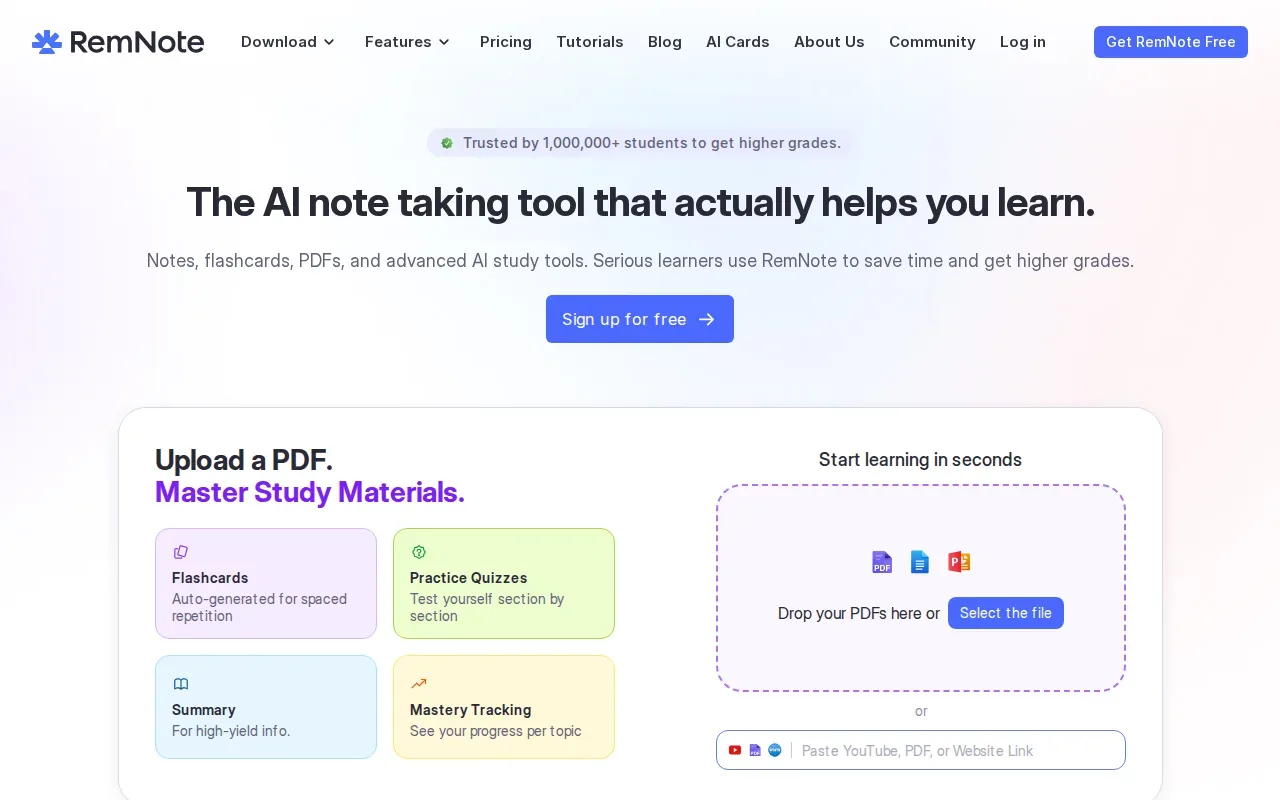
This notes-first setup can help when you want your course notes and cards connected in one study flow. For example, after outlining a statistics lecture, you can make cards on terms or steps that you need to recall. With AI-made cards, read each prompt and answer against the source before using it for review.
RemNote Pro costs $10 per month or $96 per year. Pro with AI costs $216 per year ($18 a month billed yearly). The free plan includes only five AI card generations from text, PDFs and slides, so that limit matters if you want AI to draft cards from course files throughout the term.
RemNote is worth considering if you like making and organizing notes as part of studying. If you’d rather start with exam-style MCQs and explanations from uploaded material, Quizessa’s study quiz maker comparison focuses on that kind of practice.
Turn your notes into a practice exam
Upload a document and Quizessa builds questions, flashcards and explanations in minutes.
Try it freeFor a busy course, try generating a small batch of cards first. Check whether the prompts ask you to recall a useful idea, rather than repeat a line without understanding it.
4. StudyFetch: quizzes and flashcards from PDFs, slides, and recordings
StudyFetch turns PDFs, slides, and lecture recordings into flashcards and quizzes. It may fit students whose class content lives in several formats and who want their practice materials built from those sources.
Use it to move from a set of lecture slides to a quiz, or from a recorded class to flashcards for a later review. That cuts down on manual card-making. You’ll still want to check questions and answers against the original material, especially for fine details, numbers, or terms your instructor uses in a specific way.
Check StudyFetch’s current plans before you commit, and compare the cost with how often you’ll use its file-based quiz and flashcard workflow. A tool is easier to judge when you try it with a real class document, rather than a sample topic you already know.
For instance, upload a slide deck before a biology exam and see whether its questions test the terms and relationships in your lecture. If a card is vague, revise it or return to the slide. The point is to make retrieval practice more useful, not to treat every generated item as correct.
StudyFetch is a reasonable fit when PDFs, slides, and recordings are your main inputs. Students who want practice to adapt to how they answer can also compare Quizessa’s approach.
5. YouLearn: summaries, questions, and flashcards from class materials
YouLearn turns slides and lecture notes into summaries, practice questions, and flashcards. Its AI tutor is built to work with PDFs, YouTube videos, and recorded lectures, giving students more than one way to review their own materials.
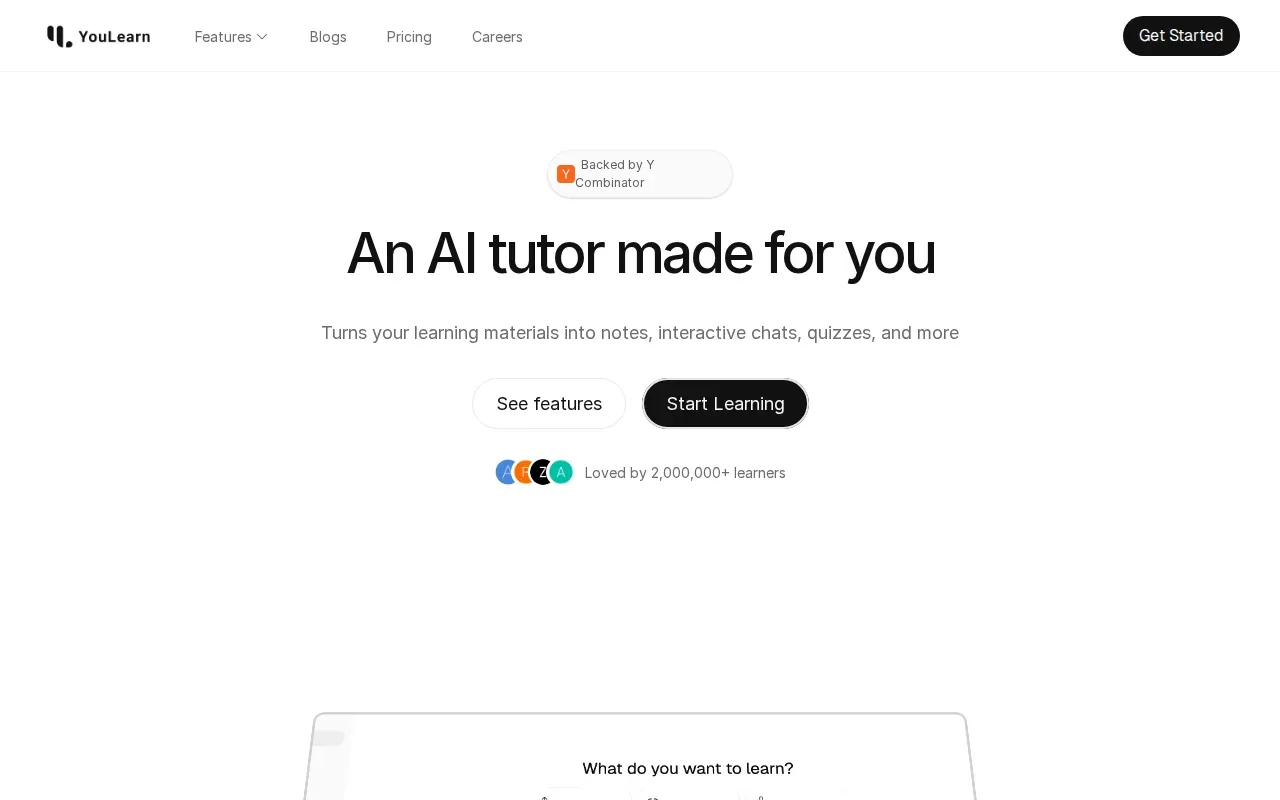
That mix can help when you need to understand a topic before testing yourself. Start with a summary to locate the main ideas, then use questions or flashcards to check what you can recall without looking. If a question feels off, compare it with the original slide or note.
Here’s a quick view of how the five tools differ by study workflow:
| Tool | Material or starting point | Study output | Useful fit |
|---|---|---|---|
| Quizessa | PDFs, slides, notes, photos, YouTube videos | MCQs, flashcards, explanations, adaptive practice | Course-based exam practice |
| Knowt | Lecture recordings; Quizlet sets | Study guides, quizzes, summaries | Free Learn mode and lecture review |
| RemNote | Notes, text, PDFs, slides | Notes and AI-generated cards | Keeping notes and cards together |
| StudyFetch | PDFs, slides, lecture recordings | Flashcards and quizzes | Practice from several class formats |
| YouLearn | Slides, lecture notes, PDFs, YouTube videos, recordings | Summaries, questions, flashcards, AI tutor | Understanding material before review |
Choose based on the work you want the app to do. If you need explanations first, YouLearn’s tutor and summaries are relevant. If your next step is tracking topic mastery and adjusting practice after your answers, Quizessa is designed for that exam-prep loop.
FAQ
What is the best AI tool for studying from PDFs?
Quizessa is a strong fit if you want MCQs, flashcards, and answer explanations from your PDFs, then practice that adapts to your performance. RemNote can generate AI cards from PDFs, while StudyFetch turns PDFs into quizzes and flashcards. Try a page or section from your own course first, then check the results against the source.
Can AI turn lecture slides into flashcards?
Yes, several tools in this list can turn slides into study materials. Quizessa generates flashcards and MCQs from slides; RemNote makes AI cards from slides; StudyFetch creates flashcards and quizzes; and YouLearn makes summaries, practice questions, and flashcards from slides and lecture notes. Review the output for accuracy before you study from it.
Are AI study tools free?
Some have free access, but the limits differ by feature. Knowt’s Learn mode is free and unlimited, while RemNote’s free plan includes only five AI card generations from text, PDFs and slides. Quizessa is free to try in a browser guest session, and its Pro plan costs $8.99 per month or $89.90 per year.
How can I use AI to study without relying on wrong answers?
Use your course files as the reference point. Answer a question before looking at its explanation, then check any uncertain detail against the slide, reading, or class note it came from. Treat generated explanations as study help, not as a replacement for your course materials. Follow your instructor’s rules for AI use on graded work.
Conclusion
For exam practice built from your own course material, start with Quizessa: upload a file, try a set of MCQs, and review the explanations and topic signals. Pro costs $8.99 per month or $89.90 per year if you need its paid features. If you’re comparing study workflows, try the same class file in two tools and keep the one whose questions match your course.
Turn your notes into a practice exam
Upload a document and Quizessa builds questions, flashcards and explanations in minutes.
Try it freeRelated articles
-
Best Exam Prep Apps for Your Course Materials
Too much course material can make it hard to know what to review first. The best exam prep apps help you turn your own notes into active practice, or give you focused questions for a specific test...
-
Best Study Websites: 5 Options for Students
The best study websites should help you do more than reread your notes. Some turn your own class files into practice, while others help you review shared flashcards or space out recall. An analysis...
-
Best Study Quiz Maker Tools for Students
Turn a course PDF or lecture video into questions you can practice with, instead of writing every quiz by hand. A study quiz maker can also help you spot which topics need another look. Here are five...